Test a Long Form After the Session Expires
Test session expiry during a long form, restore the authorized draft after sign-in and verify one confirmed submission without losing the user’s work.
Leer en español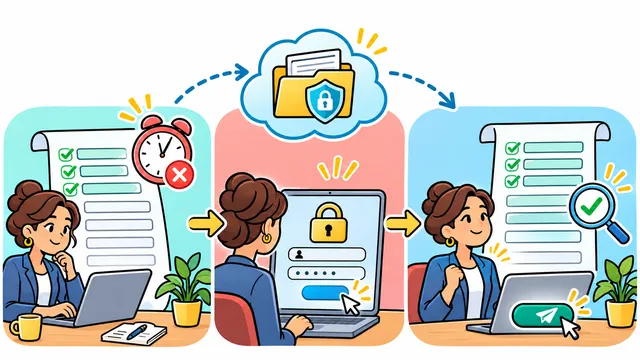


A person finishes a long service request, presses Submit and discovers that the session expired while they were writing. A login page appears, but the draft is gone. A useful acceptance test follows the whole return journey: authenticate again, recover the permitted draft, review it and obtain one confirmed submission.
This fictional example uses request DRAFT-22 in a test environment. It concerns an unexpected timeout while the same person is working, rather than an intentional sign-out or an account handover. The steps below are a proposed test, not results from a client project.
Agree on the recovery promise
W3C's explanation of WCAG 2.2 criterion 2.2.5, at Level AAA, describes continuing an activity without losing data after reauthentication. Use that as a concrete design target. Passing this exercise alone does not establish overall accessibility conformance.
List the fields, attachments and current step that the form should restore. Define where draft data may be retained, who owns it and when it expires. If sensitive fields cannot be retained under the chosen policy, make that limitation visible and review the resulting data-loss risk; do not describe partial restoration as meeting the full target.
Expire the session on purpose
Use a documented test setting or controlled server action to expire the session. Changing only a countdown on the page is insufficient: OWASP's session guidance calls for server-side enforcement of session expiration. Keep the production timeout policy intact.
Enter distinctive fictional values in several fields, choose an option, add a test attachment if supported and stop on a later step. Record the expected draft before triggering expiry. Avoid real personal information and never put session credentials in the evidence.
Follow the return journey
- Submit after expiry. Confirm that the interface explains the need to authenticate and does not claim the request was completed.
- Authenticate as the same authorized person. Compare restored fields, selections, attachment references and current step with the expected draft.
- Cancel authentication once. Check that the application describes how to resume or discard the draft without exposing it to another user.
- Return with a different account. The original draft must not become accessible merely because the browser is the same.
- Edit a restored value and submit. Verify the saved request contains the revised value and gives a stable confirmation reference.
Test an uncertain final response separately
A timeout before authentication and a lost response after submission are different situations. In a controlled test, interrupt the final response after the server accepts the request. Reopen the status using the existing request identity and verify whether it completed before offering another submission. The expected business outcome is one request, not two because the first confirmation was unseen.
Ask the team to demonstrate the record count and stored values as well as the screen message. A disabled button alone does not prove duplicate prevention. Include keyboard navigation through authentication and a clear return point so recovery does not strand the person at the start.
Keep the evidence useful
Record the timeout mechanism, draft identity, account role, expected values, restored values and final reference. Treat missing attachments, changed ownership or duplicate requests as separate failures. Repeat the test when authentication, draft storage or submission handling changes.
Implementation effort depends on the existing draft model, attachment storage, sensitivity rules and confirmation mechanism. Discuss session recovery and form acceptance criteria with Dynelink.
AI-generated conceptual illustration; not a client screenshot.