What should a business software incident response plan include?
Learn what a business software incident response plan should include, from roles and triage to communication, recovery, evidence, and follow-up.



A business software incident response plan explains how your organization will recognize a problem, decide who is responsible, limit the impact, communicate clearly, restore service, and learn from what happened.
The plan should be usable when information is incomplete and pressure is high. It is not only a document for security specialists. Owners, operations managers, customer-service leaders, software providers, and employees may all need to make coordinated decisions when an application stops working or begins behaving unexpectedly.
Without a plan, the first minutes of an incident can be spent deciding who should investigate, which information is reliable, whether employees should continue using the system, and what customers should be told. Those decisions are easier when roles, escalation paths, and recovery criteria have already been discussed.
Define what counts as a software incident
Not every error requires the same response. Start by identifying the conditions your business will treat as incidents rather than ordinary support requests.
Examples may include:
a customer-facing application becomes unavailable;
employees cannot complete a critical workflow;
records are missing, duplicated, or changed unexpectedly;
an integration sends information to the wrong destination;
an unauthorized person may have accessed an account;
an automated process performs an action outside its intended rules;
a deployment causes repeated errors or unacceptable performance;
a provider outage prevents the business from completing important work.
Define severity according to business impact, not only technical complexity. A small technical defect can be a serious operational incident if it blocks scheduling, payments, dispatch, or customer communication. A visible error may be lower priority if a safe workaround exists and no sensitive process is affected.
Your definition should identify the workflows, data, users, locations, and service commitments that require faster escalation.
Assign roles before an incident occurs
An incident can involve several responsibilities, even in a small company. One person may perform more than one role, but the role itself should remain clear.
Define who will:
receive and confirm the initial report;
coordinate decisions and keep an incident timeline;
investigate the software, infrastructure, or integration;
represent business operations and approve temporary workarounds;
decide whether access, automation, or a deployment should be paused;
communicate with employees, customers, and providers;
authorize restoration or a return to normal operation;
preserve relevant logs, messages, and records;
lead the review after the incident.
Include backup contacts. A plan that depends on one person being available is fragile. Store contact information and escalation instructions somewhere the team can reach even if the affected application is unavailable.
External providers should also be documented. Record the service, account owner, support channel, contract or service level where applicable, and the information the provider will request when a case is opened.
Create a clear reporting and triage process
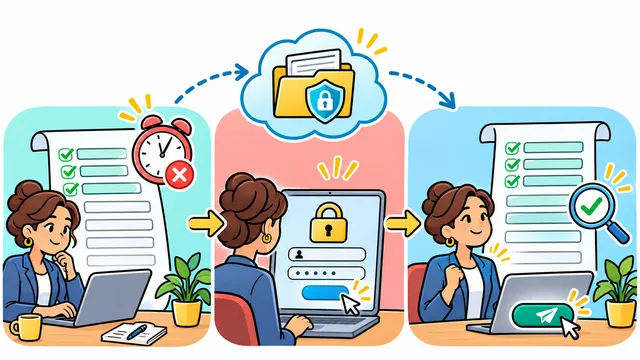
Employees need one recognized way to report a software incident. Reports scattered across personal messages, email threads, and informal conversations can delay confirmation and create conflicting versions of events.
A useful initial report includes:
the time the issue was first observed;
the affected application and workflow;
what the user expected to happen;
what actually happened;
the users, customers, locations, or records known to be affected;
screenshots or identifiers that do not expose unnecessary sensitive data;
recent changes, when known;
any workaround already attempted.
The first responder should acknowledge the report, create a shared incident record, and establish the next update time. This prevents silence from becoming an additional operational problem.
Record the first reliable facts
Separate facts from assumptions. “Customers cannot submit the form” is a report that can be tested. “The database is corrupted” is a conclusion that requires evidence.
Maintain a timeline of observed symptoms, decisions, changes, communications, and results. Record times consistently and identify who performed each action. This is useful for coordination during the incident and for understanding the sequence afterward.
Classify impact without guessing
Use a simple severity model based on questions such as:
Is a critical business process blocked?
Is there a safe and practical workaround?
Are customers or multiple employees affected?
Is the problem expanding?
Could data accuracy, access, privacy, or financial activity be involved?
Does a deadline or service commitment increase the impact?
Do not wait for perfect certainty before escalating a potentially serious condition. At the same time, avoid declaring a cause, data exposure, or recovery time before the team has enough evidence.
Contain the problem while protecting evidence
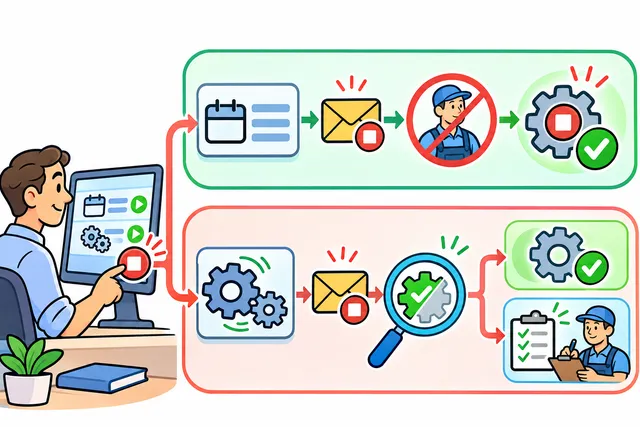
Containment aims to prevent additional harm while the team investigates. The right action depends on the incident and should be proportionate to the risk.
Possible actions include:
pausing an integration or automated job;
revoking or limiting a credential;
disabling one affected feature instead of the entire system;
rolling back a recent deployment;
routing new work to a controlled manual process;
preserving logs and snapshots before they are overwritten;
restricting administrative changes while the investigation continues.
Avoid uncoordinated fixes. Restarting services, deleting records, changing permissions, or running data repairs without documentation can remove evidence or create a second problem.
If the incident may involve regulated, confidential, financial, or personal information, involve the appropriate legal, compliance, privacy, or security professionals. A general software response plan does not replace specialized obligations.
Prepare communication for employees and customers
Communication should help people take the correct next action. It should not speculate.
An internal update can explain:
what service or workflow is affected;
what employees should stop or continue doing;
whether a manual process is active;
where to report additional cases;
when the next update is expected.
A customer update may need to state that a function is temporarily unavailable, what alternatives are available, and when another update will be provided. The level of detail should match the audience and the confirmed facts.
Prepare message templates in advance, but do not publish them without adapting them to the actual event. Assign one communication owner so employees and customers do not receive contradictory explanations.
Restore service in a controlled way
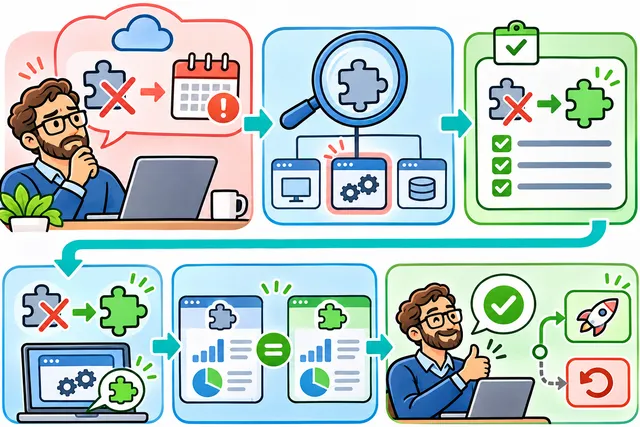
Restoration is more than making the application respond again. The team must confirm that the critical workflow works, data is consistent, permissions are correct, integrations are processing as expected, and monitoring can detect a recurrence.
Before returning to normal operation, define checks such as:
the affected function passes a focused test;
a representative transaction completes from start to finish;
failed or queued records are identified;
recent changes are reviewed and documented;
logs and alerts show expected behavior;
the business owner confirms that the workflow is usable;
a rollback or containment option remains available during observation.
Restore in stages when possible. A limited group, location, or workflow can provide evidence before full access resumes.
Document manual work and reconcile it later
Many businesses use a manual fallback during an outage. The fallback should have an owner, a start time, a controlled record format, and a reconciliation plan.
For example, if employees record service requests in a shared template while a scheduling application is unavailable, define which fields are required, who can edit the file, how duplicate entries will be prevented, and how each request will be entered or matched when the system returns.
Without reconciliation, the company may restore the application but leave behind missing orders, duplicate appointments, inconsistent statuses, or customer promises that are not visible in the system.
Review the incident and improve the system
After operations stabilize, review the incident without turning the meeting into a search for individual blame. The goal is to understand the conditions that allowed the impact and improve the system and response.
Ask:
What was the first detectable signal?
How was the incident reported and confirmed?
Which decisions reduced or increased the impact?
Did the team have the access, documentation, and contacts it needed?
Did monitoring identify the issue before users did?
Did the fallback process work?
Were restoration criteria clear?
Which corrective and preventive actions are justified?
Assign each follow-up action an owner, priority, expected outcome, and review date. Separate immediate corrections from larger improvements that require planning.
Useful measures can include time to acknowledge, time to contain, time to restore, records requiring reconciliation, repeat incidents, and completion of follow-up actions. These measures need consistent definitions and should not be treated as guarantees.
Example: responding to a failed scheduling integration
Consider a hypothetical service company whose website requests normally create appointments in a scheduling platform. Employees notice that new requests appear on the website but not in the scheduling queue.
The incident coordinator pauses an automated retry that might create duplicates, confirms the affected time window, and asks customer service to record new requests in a controlled fallback list. The technical owner preserves integration logs and identifies an expired credential.
After the credential is replaced in the approved process, the team tests one controlled request and compares website submissions with scheduling records. Missing requests are added from the fallback list and marked as reconciled. Customers whose appointments may be delayed receive a factual update.
The review identifies three improvements: alert on authentication failure, document credential ownership, and test the manual reconciliation process. This example illustrates a response method; it does not promise that every incident will have the same cause or recovery path.
How Dynelink can help
Dynelink can help businesses review critical workflows, application dependencies, integrations, monitoring, support responsibilities, fallback procedures, and recovery criteria. The objective is to make the response plan understandable to both technical and operational teams.
If your business needs a clearer plan for responding to software outages, integration failures, or unexpected application behavior, contact Dynelink at [email protected], call +1 813 501 0799, or visit www.dynelink.com.
Contact Dynelink to review the workflows, responsibilities, monitoring, fallback procedures, and recovery checks behind your business software.