Explain Rate-Limit Waiting Without Hiding a Stuck Workflow
Show when a supplier API will be tried again, how old the figures are and who takes over if the scheduled attempt misses the report deadline.
Leer en español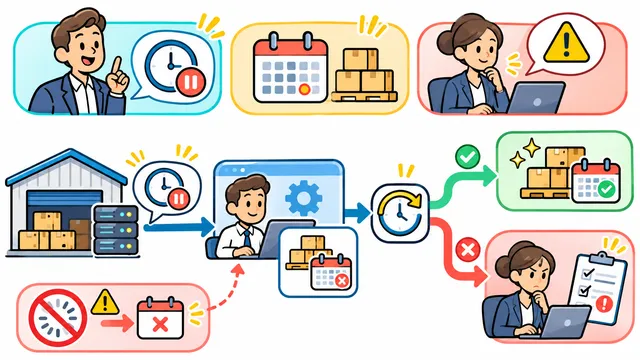


At 9:10, a dispatcher opens the morning stock report. Yesterday’s figures are still on screen and the refresh button says “Processing.” Should she wait, ask support, or send the report with a warning? The answer depends on whether another attempt is actually scheduled.
Give the wait a time and a reason
Consider a fictional stock system that reads a supplier’s inventory. If the supplier returns HTTP 429, it has limited the request rate. It may include a Retry-After header with a delay in seconds or a date. That value helps schedule a new request. The stock figures still belong to the last successful import. See RFC 6585, section 4 and RFC 9110, section 10.2.3.
Suppose the response arrives at 09:10 with a delay of 120 seconds. Once the system has saved a new attempt for 09:12, the screen can say “Supplier asked us to wait. Next attempt at 09:12 New York time. Stock last updated yesterday at 17:40.” If the supplier omits the header, use a documented local delay and describe the time as your system’s choice.
Agree on when someone takes over
For this report, the dispatcher needs a decision by 09:20. Agree with operations on a maximum number of attempts and a deadline. If the next allowed request falls after the deadline, stop automatic attempts and route the report to the person responsible for stock. Keep the last successful figures visibly dated. Give that person the report reference, attempt history and a way to record whether to wait for fresh figures or send the older report with its date.
Test the difference between a delay and a stalled job
- Waiting. Use a test supplier that returns 429. Check that refreshing the page leaves the scheduled time intact and sends no extra supplier request.
- Running late. Pause the test worker until the saved attempt is overdue. Check that the interface flags the missed attempt and the support queue receives the report reference. A countdown that restarts on every page load would hide this fault.
- Recovered. Let the worker fetch a valid response. Keep the previous “last updated” time until the new stock figures are stored and available to the dispatcher.
- Stopped. Return another limit that would exceed the agreed deadline. Check that automatic retries stop, the owner can see why, and reopening the report does not start another job.
Ask the dispatcher to read each screen and tell you which stock figures she can use, when to check again and who owns the next action. If any answer requires opening a server log, revise the message before accepting the workflow.
Contact Dynelink to define waiting states and acceptance tests for a supplier integration.
AI-generated conceptual illustration; not a client screenshot.