Verify That a Retired Service Page Is Removed Intentionally
Approve a service-page retirement, choose its response and check both languages, internal references and the public sitemap without assuming indexing results.
Leer en español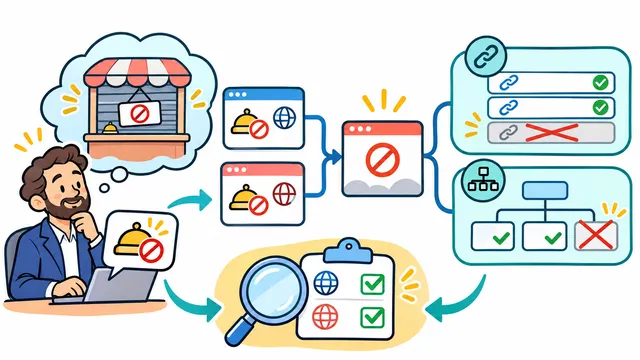


Removing a service from a website is a business decision with several visible consequences. A visitor may still open a bookmarked address, an old proposal may still point to it, and the navigation may continue to advertise something the business no longer offers.
This proposed acceptance exercise uses a fictional retired service, not a change performed on Dynelink's website or a client project. Its purpose is to make an intentional removal distinguishable from an accidental broken page.
Approve the retirement decision first
Create a short record naming the service, its English and Spanish URLs, the business owner approving retirement and the intended effective date. List whether existing customers still need support information. Retiring a sales page does not, by itself, decide what happens to ongoing customer obligations or private records.
Then answer one question: does a current page actually satisfy the same visitor need? A vaguely related service is not automatically a replacement. Write the reason for your decision so the implementer does not have to infer it from a list of URLs.
Choose the expected response for each address
Google's crawling guidance distinguishes a removed page with no similar replacement, for which it recommends HTTP 404 or 410, from a moved page or clear replacement, for which it recommends a permanent 301 redirect.
- No replacement: agree on the missing-page response and a useful explanation for visitors.
- A clear replacement: record the exact destination and why it matches the former page's purpose.
- The decision is unresolved: keep the change pending instead of inventing a destination to clear an error report.
A page that looks like an error while returning HTTP 200 needs attention. Google also cautions against sending a deleted page without a replacement to an unrelated destination such as the homepage in its 404 guidance. A helpful link on a missing-page screen and an automatic redirect are different behaviors.
Remove invitations to an unavailable service
For this fictional retirement, review the service menu, homepage card, contextual links, contact-form choices and downloadable material that the business controls. Record each reference and whether it was removed, rewritten or deliberately retained with an explanation. Do not claim that every old external link can be changed.
Inspect the generated sitemap after the change. Google says to include the URLs you want to appear in search results in its sitemap guidance. For the exercise, check that the retired URL is absent and that any approved replacement is represented appropriately. A CMS checkbox alone does not establish what the public sitemap contains.
Test both language paths independently
Open each exact retired URL directly and record its first HTTP response, any redirect destination and the final visible message. Check the English and Spanish navigation separately. If only one language page is retired, review alternate-language links so a surviving page does not send visitors to an unavailable translation.
Also open an unrelated service that should remain available. This helps catch an overly broad rule that removes more than the approved page. Use a fresh public request after the authorized deployment; a development result or a cached browser page is insufficient evidence of the public behavior.
Close the record without promising indexing results
Save the approved decision, response evidence, checked references, observation time and owner of any correction. Review search reporting separately when authorized access is available. An HTTP check proves the observed response, not when a search engine will revisit the URL or update its results.
Contact Dynelink to discuss a service-page retirement with explicit decisions and verifiable acceptance checks.
AI-generated conceptual illustration; not a client screenshot.