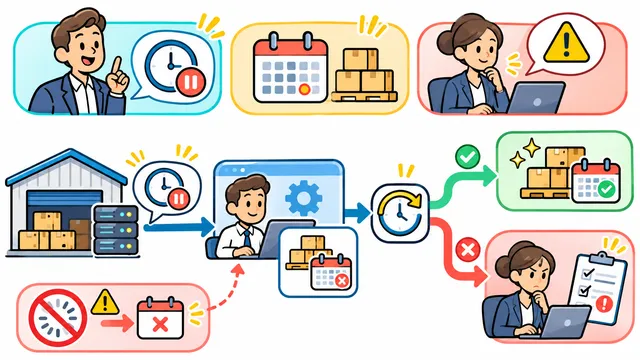
Approve a Bulk Status Change with a Preview and Exception List
Define the approval, stale-preview checks, receipt and bounded recovery for a bulk work-order status change.
Leer en español


When an operations lead selects several work orders and chooses a new status, the approval screen should tell them exactly which records will change. It should also show the exceptions and what will happen if a record changes while they are reviewing the list.
Use a fictional service system with six synthetic work orders. Three are eligible for the requested transition, one is already in the target state, one has an active hold and one is outside the operator’s permissions. Show reasons only for records the operator may see. For this exercise, the business rule permits applying eligible rows and records the others as exceptions.
Make the preview a decision
Show the current and proposed status for eligible rows, the selected count and any exceptions the operator may see. Give the operator a chance to cancel. Have the approving role confirm the scope and target status, and tie the confirmation to the exact selection and record versions used for the preview.
Recheck the records when the change is applied
Between preview and approval, put one previously eligible work order on hold. For this exercise, treat that change as a stale preview and ask the operator to review a fresh list before any update. Run a separate test with a valid preview, then compare the exact IDs actually changed with the approved list.
If the system uses PostgreSQL, a transaction can group the approved updates and receipt into one commit. An UPDATE with RETURNING can supply the affected rows for the receipt. The transition and authorization checks still need to be implemented and tested. See the PostgreSQL guides for transactions and returning changed rows.
Give the operator a receipt and a recovery path
Record the operation ID, approving actor, timestamp, changed IDs, previous and new status, and exceptions the operator may see. If a browser loses its response, make it possible to check the outcome using the operation reference before the operator submits again.
Agree in advance which statuses can be restored. Test a recovery for one changed record and a conflict for another record edited after the bulk operation. The recovery should surface that conflict for review and leave the later edit in place. Also test cancellation and a user who can view the preview but cannot approve it.
Keep the approved list and observed receipt side by side in the acceptance record. Contact Dynelink to define approval and recovery checks for bulk updates in your business software.
AI-generated conceptual illustration; not a client screenshot.