Test Search Filters When a User Shares the Results URL
Verify that a copied results link restores filters and sort order in a fresh session while respecting each recipient’s record permissions.
Leer en español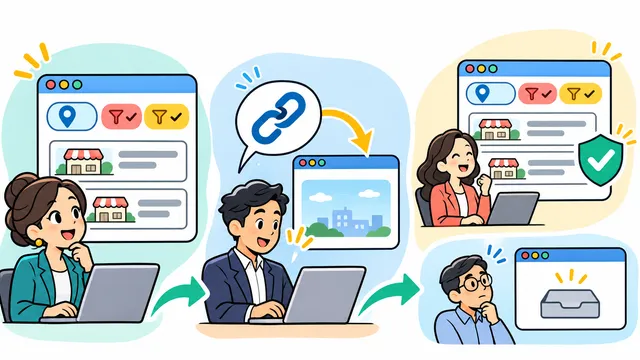


A dispatcher filters a work-order list to two statuses and one branch, then sends the results link to a colleague. The acceptance test is whether the colleague can open that link in a fresh browser and understand the same search criteria, with results limited to the records they are allowed to see.
Use a fictional service portal and synthetic work orders. Agree on the expected outcome for each account before testing. The example below describes a proposed exercise for a product team.
Write down what the link should carry
Start with branch, status and sort order. Decide how to handle two values for one filter, which defaults can be omitted, and whether changing a filter returns the user to page one. A browser can read multiple values for one query key with getAll(). The application still has to define which values it accepts and how it applies them. See the URLSearchParams documentation.
Use filter identifiers that are approved for sharing. If the search input can contain sensitive free text, decide whether it should be included in a shareable link at all. Use harmless text in the fixture when testing spaces and punctuation.
Open the copied URL with fresh state
- Apply the branch and both statuses, then set a known sort order. Record the filters shown and the expected work-order IDs.
- Copy the URL and open it in a fresh browser session under a test account with the same permissions. Confirm that the controls, order and expected IDs agree after the first load and a reload.
- Change one filter, then use Back. Check that the previous URL, controls and displayed results agree. Try a malformed or retired filter value and verify the documented fallback.
Test the same link with different permissions
Use a second account with narrower access. The server should evaluate that account’s permissions for the results request. OWASP recommends checking authorization on each request, regardless of where it originated. See the OWASP authorization guidance.
Include one case where the filters are valid but the second account has no visible matches. The result should explain the empty view and let the recipient clear or change filters. Check that counts and messages do not disclose inaccessible records. Keep an invalid-filter case separate so the team can tell which behavior it is verifying.
Save the synthetic URL, test role, expected and observed IDs, and behavior on reload and Back in one acceptance record. Contact Dynelink to define shareable search behavior for your business application.
AI-generated conceptual illustration; not a client screenshot.